If you are a teacher, a civil servant, or work for any branch of the Kenyan government, three letters and a portal have likely become a big part of your world: IPPD login portal. Perhaps you have received a memo, heard office chatter, or seen the deadline announcement. Suddenly, accessing the IPP login portal becomes the top priority on your to-do list.
But if your first thought was, “Wait, how do I do that?” breathe. You are not alone. Navigating new digital systems can feel overwhelming, but this shift empowers you, the public servant, with more transparency and control over your employment details.

This guide is your friendly, stress-free walkthrough of everything you need to know about the IPPD login portal. We’ll cover what IPPD is, why it matters, how to log in without a hitch, and what to do if things go wrong. Let’s turn that confusion into confidence.
What is the IPPD system? It is more than just a portal.
Before we dive into the IPPD login portal, let us quickly demystify the acronym. IPPD stands for the Integrated Payroll and Personnel Database.
In simple terms, think of it as the government’s new, centralized digital brain for managing all public servant records and payroll. It is designed to replace old, fragmented systems with one secure, efficient platform. This is not just a technical upgrade; it is a fundamental change with enormous benefits.
a. Fighting Ghost Workers
By requiring every employee to verify their details via the IPPD login portal personally, the system can identify and remove non-existent workers from the payroll. This saves the country billions of shillings that can be redirected to crucial public services.
b. Ensuring Pay Accuracy
A unified system drastically reduces the manual errors and delays that can sometimes cause pay issues. It helps guarantee that your salary, allowances, and deductions are processed correctly and on time.
c. Giving You Transparency
Once you log in, you get a clear, detailed view of your payslip and personal information. It’s your data, and now you have direct access to it.
Your Step-by-Step Guide to the IPPD Login Portal
Ready to access your account? Follow these simple steps. The official gateway for all public servants is hosted on the Public Service Commission (PSC) website.
Step 1: Find the Official Website
Open your web browser (Chrome, Firefox, or Edge) and go to the official PSC IPPD portal.

Security Alert: Always type this URL directly or use a saved bookmark. Be cautious of links sent via email or social media, as they could be phishing attempts to steal your login details.
Step 2: Enter Your Login Credentials
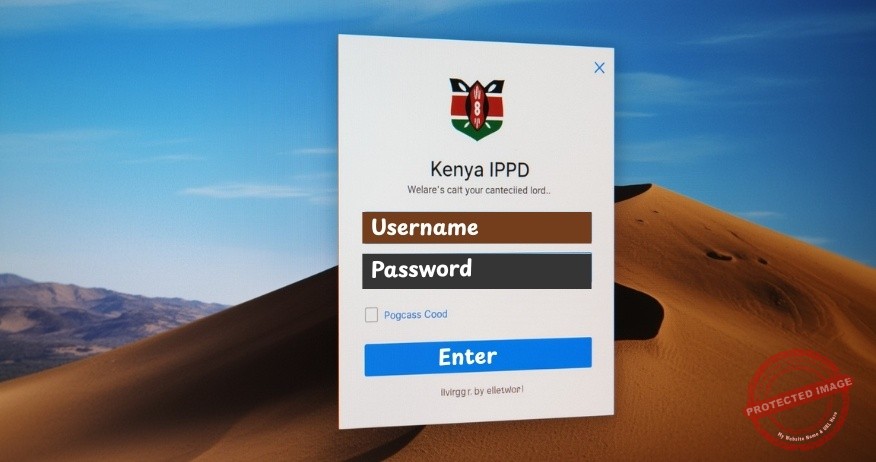
On the homepage, you’ll see a login section. Here’s what you need:
Username: This is typically your unique payslip number or your IPPD number. This number is usually provided by your institution’s Human Resources (HR) office.
Password: If this is your first time, you will probably use a default password. Common defaults include your National ID number or a generic initial password provided by HR.
Step 3: The First-Time Password Reset (Crucial)
If you are logging in for the first time, the system will immediately prompt you to create a new, strong password. This is a mandatory security step.
Create a password that is hard to guess. Use a mix of uppercase letters, lowercase letters, numbers, and symbols (e.g., Nairobi2024!).
Never share this password with anyone. Legitimate HR or IT staff will never ask for it.
Step 4: Navigate and Verify
Once inside the IPPD login portal, take your time to explore the dashboard. You will find sections for:
Your Payslips: Where you can view and download your monthly payslips.
Personal Details: This is the most critical section. Carefully verify all your information, including your ID number, bank account details, and job designation. Your accurate verification makes the entire system work.
Stuck? Troubleshooting Common IPPD Login Problems
It is entirely normal to encounter a hiccup. Here is how to solve the most common issues:
a. “Invalid Username or Password” Error
First, double-check for typos. Remember that passwords are case-sensitive.
If you have forgotten your password, look for the “Forgot Password?” link on the login page. This will typically guide you through a reset via your registered email or phone number.

b. The Website is Not Loading or is Slow
The server might experience high traffic, especially near deadlines or payday. Try accessing the IPPD login portal during off-peak hours, like early in the morning or late in the evening.
Clear your browser’s cache and cookies, or try using a different browser.
c. Your Account Does Not Seem to Exist
If you are certain your credentials are correct but still cannot log in, your details may not be fully migrated yet. Your first and best point of contact is your department’s HR, or the designated IPPD desk officer. They have channels to resolve this with the central PSC team.
Beyond the Login: Why Your Verification Matters
Completing your IPPD login portal verification is more than just a compliance task. It is an act of national importance. Here is why:
When you verify your details, you are directly contributing to a more efficient and honest government.
The billions saved by eliminating ghost workers are funds that can be used to:
a. Improve infrastructure like roads and hospitals.
b. Equip schools with better resources.
c. Ensure public funds are used for actual development and service delivery.
You are also protecting yourself. Verifying your bank account details ensures your salary lands in the correct account. Checking your deductions ensures you are not overpaying on taxes or other deductions. It is your financial security.
Final Thoughts
The introduction of the IPPD login portal represents a significant positive step towards a more digital, transparent, and accountable public service in Kenya. While any new system comes with a learning curve, the long-term benefits for every Kenyan, both public servants and citizens, are undeniable.
This portal puts the power of information in your hands. It fosters a culture of ownership and responsibility over their employment data. So, approach the login process with patience, verify your details with pride, and be part of building a more efficient future for Kenya’s public service.
Read More Articles – HERE

For tax consultancy and investment advisory – HERE
Related articles:
- Public Service new payslip – HERE